|
How to Import Vizier Catalogs
The first thing is
go to Vizier page at
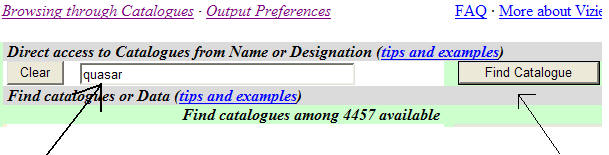
http://vizier.u-strasbg.fr/viz-bin/VizieR. The easiest way
is to press Find Catalogue as showed below, after you write
desired catalogue name or type (in our example we are looking
for quasar catalogues). Vizier is a fairly sophisticated site
with several ways to reach data catalogs. If you are an advanced
user it would be interesting to master it.
After pressing Find
Catalogue you will receive a page like this
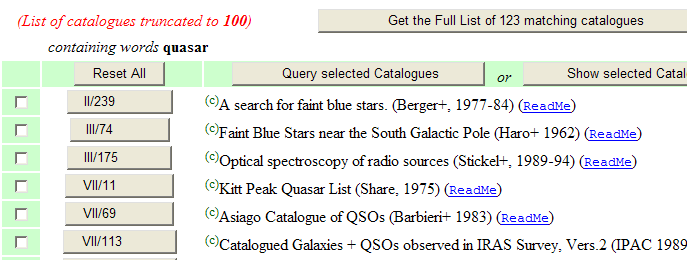
We want the Asiago
Catalogue of QSOs by Barbieri 1983. Clicking in the button
marked VII/69 we will reach the main catalogue page as follows.
You can see details about the Catalogue by pressing ReadMe link.
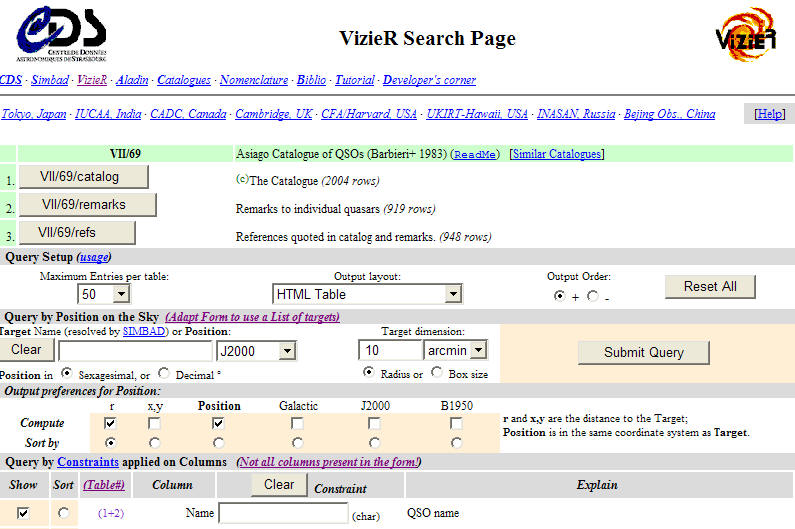
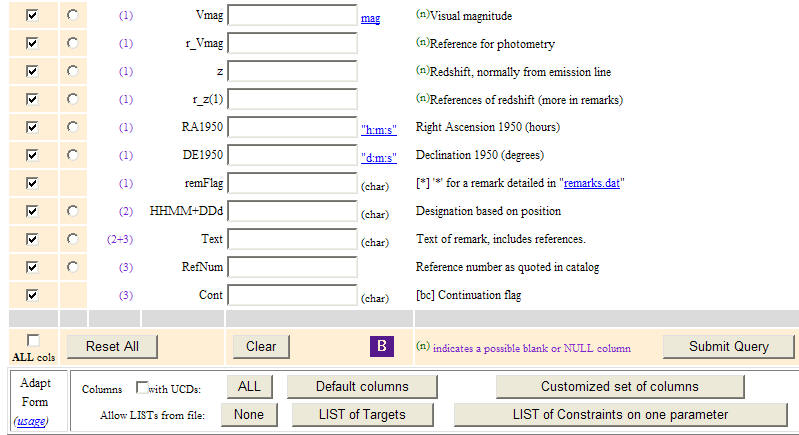
Now we select
fields that we want to have, including any constraint we need.
For example we can put in "z" field (Redshift) in this example a
constraint like >0.3 and <2.0. You can define constraints
for each field.

Finally we will get
the catalogue. Before that, however we must assure that :
1 - Maximum entries
per table set as 9999
2 - Output Layout
set as Tab-Separeted-Values
3 - Output
Preferences ser J2000 for compute and sort by. If you want to
maintain original order you sort by r. This last case is for
numbered catalogues like Hickson and Arp.
4 - Finally press
Submit Query
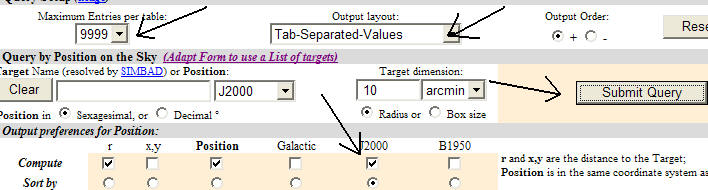
After a while you
get this screen below and change the name of file using SAVE and
transfer to your desired folder
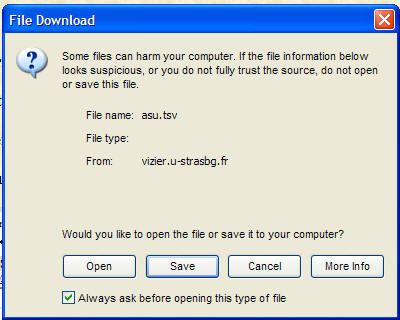
Now is the easiest part. You launch Tachyon PC
client and compile the catalog transfering or not to your
device.
|